
HP Compaq nc4400 Notebook PC - Maintenance and Service Guide

Removal and Replacement Procedures
Maintenance and Service Guide 5–51
5.17 Top Cover
1. Prepare the computer for disassembly (Section 5.3)
and remove the following components:
a. Hard drive (Section 5.4)
b. Keyboard cover (Section 5.8)
c. Keyboard (Section 5.9)
d. Display assembly (Section 5.15)
e. Button board (Section 5.16)
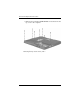
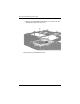
2. Turn the computer upside down with the front toward you.
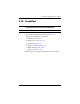
Top Cover Spare Part Number Information
Top cover 419163-001