
Startup Guide, Enhanced for Accessibility:
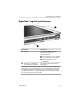
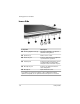
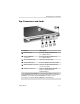

Identifying Exterior Hardware
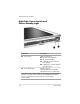
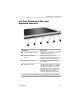
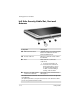
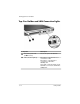
Left Side: Security Cable Slot, Vent and
Antenna
Component Description
1
IrDA Fast Infrared Port Transmits and receives infrared signals
between the tablet PC and other
infrared-enabled devices.
2
Security cable slot Attaches an optional security cable to
the tablet PC.
3
Vent Allows airflow to cool internal
components.
To prevent overheating, do
Ä
not obstruct the vent. Do not
allow a hard surface, such as
an adjoining optional printer,
or fabric, such as bedding or
clothing, to block airflow.
4
Antenna*, not visible from the Sends and receives internal wireless
outside of the tablet PC LAN signals.
†
*The tablet PC has 2 antennas. The other antenna is found on the right side
of the tablet PC.
†
For optimal performance, keep the antennas free from obstructions while
you are using an internal wireless LAN.
5–10 Startup Guide