
Startup Guide, Enhanced for Accessibility:
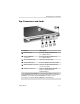

Identifying Exterior Hardware
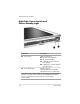
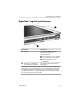
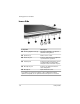
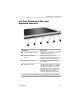
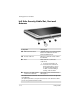
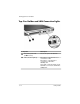
Right Side: Display Toggle and
Windows Security Buttons
Component Description
1
Windows Security When pressed with the pen tip or a small object
button* like the end of a paper clip while:
■ Windows is open, enters the ctrl+alt+delete
command.
†
■ The Setup utility is open, enters the reset
command.
2
Display Toggle When Windows is running, toggles the external
button monitor display settings:
■ Internal only
■ Internal and External
■ Extended Desktop
*This table describes default settings. To change the functions of the
Windows Security button, refer on the
Documentation Library
CD to the
Hardware Guide,
“Pen, Command Controls and Keyboards” chapter.
†
To protect your work and the system, the ctrl+alt+delete command cannot
be entered using the Ctrl, Alt, and Del keys on the on-screen keyboard.
Startup Guide 5–5