
Startup Guide, Enhanced for Accessibility:
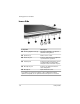
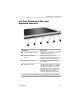
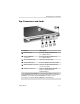

Identifying Exterior Hardware
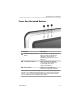
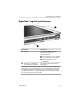
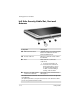
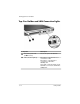
Front: Pen-Activated Buttons
Component Description
1
Tablet PC Input Panel launch When Windows is running, opens the
button* Microsoft Tablet PC Input Panel
application, which includes a
handwriting pad and an on-screen
keyboard.
2
Journal launch button* When the Windows is running,
opens and closes the Microsoft
Journal application, which
supports handwriting.
3
Rotate button* Switches the image between
landscape and portrait orientation.
*This table describes default settings. For information about changing the
functions of the Tablet PC Input Panel launch, Journal launch, and rotate
buttons, refer on the
Documentation Library
CD to the
Hardware Guide,
“Pen, Command Controls and Keyboards” chapter.
Startup Guide 5–3