
Startup Guide, Enhanced for Accessibility:


Identifying Exterior Hardware
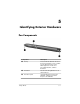
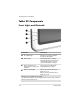
Tablet PC Components
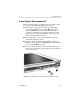
Front: Lights and Bluetooth
Component Description
1
AC adapter light On: AC power is being supplied
through the AC adapter.
2
Battery light On: A battery pack is charging.
Flashing: A battery pack that is the
only available power source has
reached a low-battery condition.
3
Bluetooth antenna, not Sends and receives Bluetooth*
visible from the outside of the Integrated Wireless signals.
†
tablet PC
4
Wireless activity light On: The wireless mini PCI and/or
Bluetooth are on.
Off: The wireless mini PCI and/ or
Bluetooth are off.
*Bluetooth is not available on all models.
†
For optimal performance when using Bluetooth, keep the area around the
antenna free from obstructions.
5–2 Startup Guide