
Compaq Tablet PC TC1100 Series Docking Station Reference Guide

4–16 Reference Guide
Using the Tablet PC Docking Station and Screen Protector
Attaching the Screen Protector to the
Keyboard
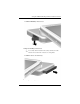
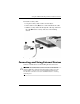
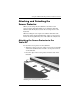
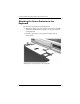
To attach the screen protector to the keyboard:
1. Align the 4 clips (2 sets of 2) on the screen protector with the
2 universal attachment slots and the 2 screen protector slots
on the keyboard.
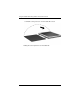
2. Press the clips on the screen protector into the slots on
the keyboard.
Attaching the screen protector to the keyboard