
Connecting Your HP SureStore CD-Writer Plus Drive - C4358-90100



Using CDs
21
■
After inserting a CD, you need to wait a moment to let the
CD-Writer drive read the disc information (wait until the
light on the front of the drive stops flashing and stays green),
then click on the CD-Writer drives icon again.
■
Are you trying to read from a blank recordable CD? Try again
after copying some information to the CD.
Removing a CD
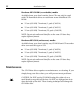
1. Press the eject button on the HP CD-Writer drive front panel.
2. Remove the CD from the tray.
3. Press the eject button again or push gently on the front of the tray
to shut the front panel.
Choosing CDs for Your HP CD-Writer drive
For best results, use Hewlett-Packard CD-RW (rewritable) or CD-R
(write-once) media, available from your local vendor.
Ideas for using CD-RW (rewritable) discs which can only be used
in CD-rewritable drives or newer MultiRead CD-ROMs:
Use as if it were a large-capacity floppy disk
Back up your hard drive each week
Free up disk space on your hard drive
Transport files to and from work/home
Hold large complex files as you develop them
Share presentations in editable form
Create personalized presentations
Ideas for using CD-R (write-once) discs which can be read in most
CD-ROM or CD-recorder drive:
Permanently save large project files
Share non-editable presentations
Permanently store home records
Share memories with family and friends
Copy your music onto CD for personal use
Make copies of music you created for record company
demos
Permanently archive files