
Connecting Your HP SureStore CD-Writer Plus Drive - C4358-90100





16
Installation Guide
■
If you have a printer connected to the CD-Writer drive, check
to see if your computer can detect the CD-Writer drive when
the printer is disconnected.
■
Check to make sure that your parallel port is truly configured
as either EPP or ECP. Check the manual that came with your
computer to find out how.
Check for a conflict with the parallel port (some other
device using the same IRQ or I/O as the parallel port).
In Windows 95,
to find out if there is a conflict:
- Right-click on the My Computer icon
- Select Properties
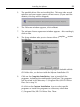
- Select the Device Manager tab:
Under the heading SCSI Controllers , find Shuttle EPAT
External ATAPI Adapter , and select Properties
AND
Under the heading Ports, find Printer Port, and select
Properties
If you see a
yellow exclamation mark
to the left of this line,
you do have a conflict. Figure out which other device is
using the same settings as your parallel port and change
the settings on the other device.
If you discover you do have a conflict, to find out which device is
in conflict:
■
In Windows 95,
right-click on the My Computer icon, select
Properties, select the Device Manager tab, double-click on
the computer icon to see a list of which device is using each
resource setting on your computer.
■
In Windows NT
(while signed on as Administrator)
,
from the
Start menu on the task bar, select Programs/Administrative
Tools (Common)/Windows NT diagnostics . Select the
Resources tab to view the list of which resources are being
used by which device.