
UserÆs Guide and Technical UserÆs Guide - HP Carrier Grade Server cc3300




HP cc3300 Carrier Grade Server Product Guide
88 Upgrading the Hardware
Replacing Fans
Replacing an 80 mm Fan
To replace an 80 mm fan, follow this procedure:
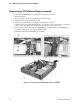
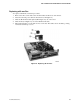
1. Loosen the three screws that secure the fan bracket and remove.
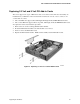
2. Disconnect the fan power cable from the server board (A in Figure 28).
3. Slide the fan upward (B in Figure 28) out of the fan housing.
4. When replacing fans, note the airflow arrow (C in Figure 28) on the fan. The airflow arrow
should be pointing rearward toward the processors.
Figure 28. Replacing 80 mm Fans