
UserÆs Guide and Technical UserÆs Guide - HP Carrier Grade Server cc3300
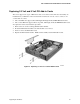




Upgrading the Hardware 85
5 Upgrading the Chassis
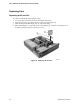
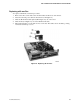
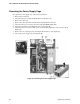
Replacing the Server Board
The replacement server board comes already installed in a chassis. Please note that warranty is
tracked by the serial and product number on your original system. Please record the serial and
product number of the original server you purchased and affix it to the replacement server. The
serial and product numbers together with the original sales order is used to confirm warranty
coverage.
1. Remove the top cover of the failed server.
2. Remove any PCI cards that may be installed in a 3.3 Volt or 5 Volt riser boards and place them
on a clean, static-free surface.
3. Unplug the PCI riser boards from the server board and place them on a clean, static-free
surface. (The upper brackets may be left attached to the riser boards.)
4. Remove the heatsink(s) and processor(s) from the server board and place them on a clean,
static-free surface.
5. Remove the memory DIMMs from the server board and place them on a static-free surface.
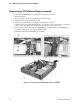
6. Remove the CDROM/Floppy assembly from the chassis and place it on a static-free surface.
7. Remove the disk tray and place it on a static-free surface.
8. Remove the power supplies and place on a static free met.
9. Place the replacement server on a static-free surface and install components that were removed
in steps 1 through 7.
10. Replace the top cover.