
UserÆs Guide and Technical UserÆs Guide - HP Carrier Grade Server cc2300


cc2300 Carrier Grade Server Product Guide 81
Removing the CD-ROM Drive
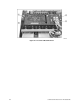
To remove the CD-ROM drive from the system, follow this procedure:
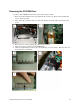
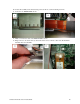
1. Remove the hard disk drive above the peripheral drive carrier (A). Remove the air baffle (B)
next to the fan assembly.
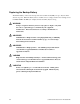
2. Move cables above the Flex cable out of the way and disconnect the cable (A) from the server
board.
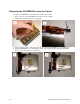
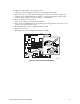
3. Remove the two screws securing the peripheral drive carrier.
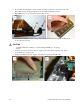
4. Disconnect the power cable from the CR-ROM (A).
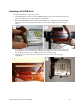
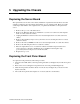
5. Slide the peripheral drive carrier to the rear and lift it up out of the chassis. Place the drive on a
clean static-free work surface.