
How to Enable LDAP Directory Services Authentication to Microsoft Active Directory in the HP cClass Onboard Administrator


http://h20000.www2.hp.com/bizsupport/TechSupport/Document.jsp?objectID=PSD_EM
030604_CW01
A third problem could be that the domain controllers have not autoenrolled. The DC’s
take up to 8 hours to autoenroll and get their certificates issued because MS uses GPO to
make the DC’s aware of the newly installed CA. You can force this by running
DSSTORE –pulse from the DC’s (tool is in the w2k reskit). It is triggered by winlogon,
so for autoenrollment to work, you may need to log off and logon. You are supposed to
be able to see the certs show up automatically in the CA’s “Issues Certs” list if this
process worked (make sure the CA is not listing them in “Pending Certs” – if it is, you
may want to change the CA to auto issue certs when a request comes in). If the
autoenrollment feature STILL doesn’t work, you may need to request the cert yourself
like this:
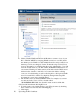
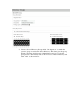
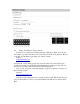
On the DC, open MMC and add in Certificate Snap-in (Computer Account)
Navigate to “Personal” and right click the folder.
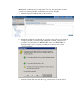
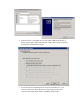
Click “Request New Cert” and click next, next, etc.
Enter a friendly name for the cert.
If you receive and RPC error, check that the CA is listed in DNS (even if you can ping
the CA) and that the CA is running.
If you receive an error saying that the wizard could not be started try this to force the
server to see the CA and allow the wizard to run:
To speed up the GPO process and make the DC’s acknowledge the CA, do the following:
For 2k3
Gpupdate /force
For 2k
Secedit /refreshpolicy machine_policy /enforce
Check that the OA has all of the proper network settings (like DNS) and that the time and
date are correct (Certificates are date sensitive). Make sure OA can reach the DNS server
(ping it from the OA command line interface).