
How to Enable LDAP Directory Services Authentication to Microsoft Active Directory in the HP cClass Onboard Administrator


VI. Testing the Directory Login solution
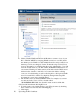
You have now completed everything needed to make the solution work. To test
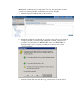
the solution, logoff the current session of OA and close all browser windows. Browse
to the OA, and attempt to login using one of these formats:
Admin
Admin@domain.com
DOMAIN\Admin
And enter the corresponding password you used for this user account. The login
should succeed and you should have full Administrative privileges. If the long does
not succeed, see the troubleshooting section later in this paper.
Now, logoff or sign out of OA and attempt to login is as “Operator” using one of
the following formats:
Operator
Operator@Domain.com
DOMAIN\Operator
And the corresponding password you used for this account. This should succeed
and you should have no access to any Server Blades, but full access to Interconnect
Bays.