
Installation and Reference Guide (J3210A, J3212A, J3200A, J3202A, J3204A) 1996-08

2-5
Management Module Features
Port Switching
Management Module
Features
Note If you have not moved ports to segments 2-4, then port LEDS will be lit after
you press the Segment Display button once. This is because all ports are on
segment 1.
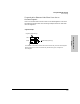
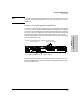
Example of using the Segment Display Button
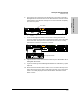
To discover which nodes are on segment 1, press the Segment Display button
once. The “1” LED on the Management Module is lit and the ports on segment
one are lit. Press the Segment Display button again and the ports on segment
two are lit, and so forth. After 60 seconds, the port LEDs go back to displaying
link status information rather than segment information. If you press the
Segment Display button a fifth time, the LEDs will also go back to displaying
link status information also.
.
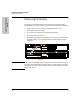
Remember that if you have two Management Modules installed in the stack,
press the Segment Display button on the active Management Module, rather
than the redundant one.
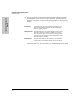
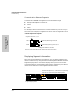
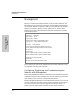
Press Segment Display button twice. Segment 2 LED is lit.
Network administrator wants to know which portsExample:
Ports 1, 4-8 are now lit.
are on Segment 2.
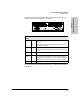
Base MAC Address
Active