
Installation and Reference Guide (J3210A, J3212A, J3200A, J3202A, J3204A) 1996-08

2-4
Management Module Features
Port Switching
Management Module
Features
Communication Between Segments
Communication between the segments can be achieved through:
■ multiple LAN adapters in the server
■ switch
■ router
For example, add an external switch or Switch Module to your stack if you
want users (for example) on segment 2 to talk to users on segments 1 and 3.
Displaying Segment Information
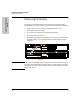
After users are distributed across segments, you can display segment infor-
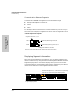
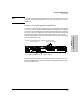
mation in software or by using a button on the Management Module called the
Segment Display button. This button displays which ports are on the four
connected segments. The Segment Display button changes the port LEDs to
reflect which nodes are on each segment instead of status.
.
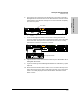
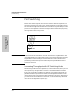
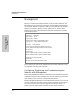
Segment 1 (Finance): 1, 4, 5
Segment 2 (Engineering): Ports 11, 12
All users connected to these hubs communicate across the switch.
Hub A
Hub B
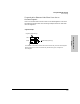
Communicating Between Segments
Segment 3 (Marketing): Port 10, 12
Switch Module in this hub
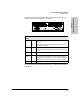
Segment Display button
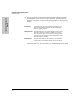
Port LEDs on Segment 1, 2, 3, and 4 turn on sequentially
each time you press the Segment Display Button.
Active
Base MAC Address