
Ethernet SNMP Module Installation and Reference Guide ( J2603B) 1995-10

Console Commands
Enter at least the first two letters of a command to execute it, such as HE for
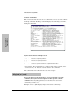
the Help command. The Help command displays the following screen like,
listing all commands.
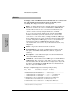
Syntax Conventions on Help Screen:
< >
– Indicates a required parameter.
[ ]
– Indicates an optional parameter.
|
– Used as a separator between acceptable variable values.
For example, SE <port|SHow|CLear> indicates that either a port ID, or the
characters
SH , or CL must be entered after the SE command.
The commands are described in the rest of the chapter.
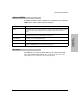
HElp [cmd] or ? [cmd]
To see the help screen shown above or, if you include a specific
command, the syntax and description of that specific console
command. For the [cmd] parameter, use the first two letters of the
command you wish to see.
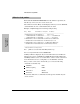
Example:
HE ST (This displays help for the Status command.)
Extended Hub
Capabilities
Extended Hub Capabilities
2-10