
Ethernet SNMP Module Installation and Reference Guide ( J2603B) 1995-10


Clearing a Password
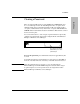
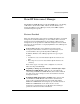
There is a Password Clear button on the HP Ethernet SNMP Module that
is accessed through a hole in the hub’s Expansion Slot cover plate. If an
auxiliary module has been installed and that module was supplied with a
cover plate, additional holes may exist in that cover plate. The HP Ethernet
SNMP Module’s Password Clear button is behind the unlabeled hole toward
the bottom of the plate.
You can use this button to clear a forgotten password that was previously
configured on the hub. The password is configured from either HP Stack
Manager or HP Interconnect Manager.
To clear the password, press and hold the button for approximately five
seconds.
As an indication that the password has been cleared, the Security LED on
the front of the hub will come on and stay on until the button is released.
Note After the password has been cleared, access to the hub from the
HP Stack Manager and from SNMP management stations will no longer
be password protected. A new password can be assigned from either
HP Stack Manager or HP Interconnect Manager.
Expansion Slot
Press the Password Clear
button with a pen or other
pointed object.
Installation
Installation
1-7