
Installation Guide, Fifth Edition - HP 9000 rp8420 Server

Chapter 2
Installation
Using the RonI Model 17000 SP 400 Lifting Device
29
Using the RonI Model 17000 SP 400 Lifting Device
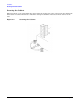
A lifter designed by the RonI company is available to rack-mount the server. The lifter can raise 400 lb. to a
height of five feet. The lifter can be broken down into several components. When completely broken down, no
single component weighs more than 25 lb. The ability to break the lifter down makes it easy to transport from
the office to the car and then to the customer site.
Documentation for the RonI lifter has been written by RonI and is on the HP intranet at the Cybrary Web
site. Complete details on how to assemble the lifter, troubleshoot the lifter, and maintain the lifter are
provided by RonI in the documentation.
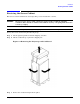
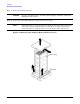
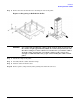
Use the following procedure to unload the server from the pallet after the lifter is assembled.
WARNING Use caution when using the lifter. A 4-cell server weighs approximately 400lbs. and it
must be centered on the lifter forks before raising it off the pallet to avoid injury.
The first server must be racked in the bottom of a cabinet for safety reasons. Never
extend more than one server from the same cabinet while installing or servicing
either an HP 9000 rp8420 server or another server product. Failure to follow these
instructions could result in the cabinet tipping over.
Step 1. Obtain the HP J1528A Rack Integration Kit Installation Guide before proceeding with the
rack-mount procedure. This guide covers these important steps:
• Installing the anti-tip stabilizer kit (A5540A)
• Installing the ballast kit (J1479A)
• Installing the barrel nuts on the front and rear columns
• Installing the slides
Step 2. Follow the instructions on the outside of the server packaging to remove the banding and cardboard
top from the server pallet.