
HP 9000 rp8420 Server - User Service Guide, Fifth Edition
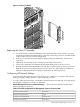
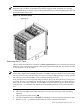
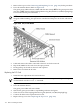
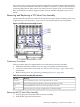
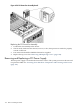
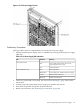
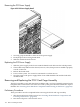

Figure 6-50 PCI Smart Fan Assembly Detail
Replacing the PCI Smart Fan Assembly
1. Position the fan assembly in the chassis.
2. The fan easily slides into the chassis; however, a slow, firm pressure is needed to properly
seat the connection.
3. Fan status LED should be GREEN when 48V is supplied.
4. Replace the top cover. See “Removing and Replacing Covers” (page 104).
Removing and Replacing a PCI Power Supply
The PCI power supply is located in the front of the chassis. The system power must be removed
to replace this FRU. See “Powering down Hardware Components and Powering on the Server”
(page 103).
158 Removal and Replacement