
HP 9000 rp8420 Server - User Service Guide, Fifth Edition
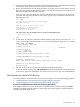



3. When accessing the EFI System Partition for the desired boot device, issue the HPUX command
to invoke the \EFI\HPUX\HPUX.EFI loader on the selected devive.
4. Boot to the HP-UX Boot Loader prompt (HPUX>) by typing any key within the ten seconds
given for interrupting the HP-UX boot process. You will use the HPUX.EFI loader to boot
HP-UX in single-user mode in the next step.
After you type a key, the HPUX.EFI interface (the HP-UX Boot Loader prompt, HPUX>) is
provided. For help using the HPUX.EFI loader, type the help command. To return to the
EFI Shell, type exit.
fs0:\> hpux
(c) Copyright 1990-2002, Hewlett Packard Company.
All rights reserved
HP-UX Boot Loader for IA64 Revision 1.723
Press Any Key to interrupt Autoboot
\efi\hpux\AUTO ==> boot vmunix
Seconds left till autoboot - 9
[User Types A Key to Stop the HP-UX Boot Process and Access the HPUX.EFI Loader ]
Type ’help’ for help
HPUX>
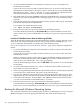
5. At the HPUX.EFI interface (the HP-UX Boot Loader prompt, HPUX>) enter the boot -is
vmunix command to boot HP-UX (the /stand/vmunix kernel) in single-user (-is) mode.
HPUX> boot -is vmunix
> System Memory = 4063 MB
loading section 0
................................................... (complete)
loading section 1
........ (complete)
loading symbol table
loading System Directory(boot.sys) to MFS
....
loading MFSFILES Directory(bootfs) to MFS
......
Launching /stand/vmunix
SIZE: Text:25953K + Data:3715K + BSS:3637K = Total:33306K
Console is on a Serial Device
Booting kernel...
6. Exit the console and service processor interfaces if finished using them.
To exit the EFI environment type ^B (Control-B); this exits the nPartition console and returns
to the service processor Main Menu. To exit the service processor, type X at the Main Menu.
LVM-Maintenance Mode HP-UX Booting
You can boot HP-UX in LVM-maintenance mode by using any one of the following procedures:
• “LVM-Maintenance Mode HP-UX Booting [BCH Menu]” (page 201)
• “LVM-Maintenance Mode HP-UX Booting [EFI Shell]” (page 202)
Procedure E-6 LVM-Maintenance Mode HP-UX Booting [BCH Menu]
From the BCH Menu, you can boot HP-UX in LVM-maintenance mode by issuing the BOOT
command, stopping at the ISL interface, and issuing hpux loader options. The BCH Menu is
available only on HP 9000 servers.
Booting HP-UX 201