
HP 9000 rp8420 Server - User Service Guide, Fifth Edition



Removing and Replacing the PCI-X Voltage Regulator Modules
The PCI-X voltage regulator modules (VRMs) are located on the PCI-X backplane. The system
power must be turned off to replace this FRU. See “Powering down Hardware Components and
Powering on the Server” (page 103).
Removing the PCI-X VRM
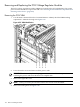
1. Use the PS:P command from the Command Menu to identify the failed VRM needing
replacement—labeled 1 through 4 in Figure 6-59.
Figure 6-59 VRM Identification
2. Power down the server and remove all the power cords.
IMPORTANT: The standby/housekeeping power needs to be off for this operation and
removing the power cords must be done to accomplish this.
3. Remove the right side cover.
NOTE: The top cover may also be removed for ease of removal of the VRMs.
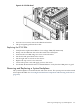
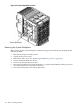
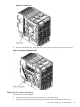
4. Remove PCI side panel. See Figure 6-60.
166 Removal and Replacement