
HP 9000 rp8420 Server - User Service Guide, Fifth Edition

Upgrading Using the DFW Command
1. If problems are encountered during the firmware update procedure, it may be necessary to
use the management processor dfw command. The dfw command can be used to copy a
PDHC or a System firmware image from one cell to another. The steps for upgrading using
the dfw command are the same as listed in “Upgrading Using the FW Command” (page 121):
1. OSP the PDHC FPGA image to the new cell.
2. Use DFW to copy the PDHC image to the new cell.
3. AC power cycle the Cell
4. Use DFW to copy the System Firmware image to the new cell.
2. Perform step 1 from Step 1 and step 2 from Step 2.
Do not reset the Cell until the next step (step 3) is completed.
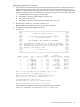
3. Example (To upgrade the PDHC firmware):
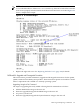
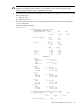
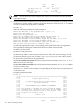
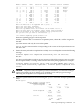
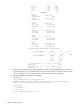
MP:CM> dfw
*********************************************************************
***** *****
***** Duplicate Firmware Utility *****
***** *****
***** (C) Copyright 2001 Hewlett-Packard Company *****
***** All Rights Reserved *****
***** *****
***** THIS PROGRAM IS NOT LICENSED TO CUSTOMERS *****
***** *****
***** This program is intended for use by trained HP support *****
***** personnel only. HP shall not be liable for any damages *****
***** resulting from unauthorized use of this program. This *****
***** program is the property of HP. *****
***** *****
***** Version 1.04 *****
***** *****
*********************************************************************
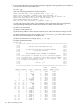
Flash Current
Number Cabinet Name Partition Handle Firmware Version Comments
------ --------- -------- --------- -------- ------------------ --------
1 0 PDHC 0A 0 256 A.003.023 Current
2 0 PDHC 0B 0 264 A.003.023 Old
3 0 SFW 0A 0 320 21.003 Pri PA
4 0 SFW 0B 0 328 21.003 Sec PA
5 0 PDHC 1A 0 257 A.003.034 Current
6 0 PDHC 1B 0 265 A.003.034 Old
7 0 SFW 1A 0 321 22.002 Pri PA
8 0 SFW 1B 0 329 22.002 Sec PA
Note: You can only duplicate one firmware type at a time.
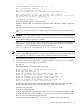
Enter the Entities to be updated (EX: 7,8) : 1
Enter the source entity for the PDHC firmware image: 5
Are you sure that you want to continue(Y/N): y
**** Updating device PDHC 0A ****
Erasing Flash(es). This may take several minutes.
DFW has completed successfully for all entities
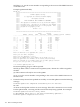
Once DFW has completed, verify the following message is returned:
DFW has completed successfully for all entities
Removing and Replacing a Cell Board 129