
HP 9000 rp8420 Server - User Service Guide, Fifth Edition

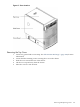
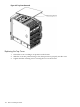
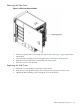
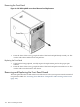
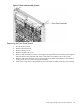
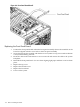

Figure 6-6 Front Panel Board Detail
Replacing the Front Panel Board
1. Position the front panel board within the front panel assembly. Ensure the standoffs on the
board are aligned with the screw holes in the front panel assembly.
2. Secure the board to the assembly with the three screws (inner two top screws and one bottom
screw) retained during removal.
3. Route the cable in the same manner as it was removed and connect the cable to the system
backplane.
4. Reinstall the front panel bezel. Use care when aligning light pipes and then screw back into
place.
5. Replace the top cover.
6. Replace the left side cover.
7. Replace the front bezel.
8. Power on the system.
110 Removal and Replacement