
HP 9000 rp8420 Server - User Service Guide, Fifth Edition

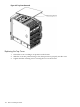

6 Removal and Replacement
This chapter provides a detailed description of the HP 9000 rp8420 server field replaceable unit
(FRU) replacement procedures. The sections contained in this chapter are:
• “HP 9000 rp8420 server FRUs”
• “Safety and Environmental Considerations ”
• “Powering down Hardware Components and Powering on the Server”
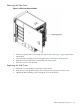
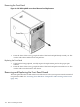
• “Removing and Replacing Covers”
• “Removing and Replacing the Front Panel Board”
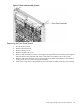
• “Removing and Replacing the Front Smart Fan Assembly”
• “Removing and Replacing the Rear Smart Fan Assembly”
• “Removing and Replacing a Disk Drive”
• “Removing and Replacing a Removable Media Drive”
• “Removing and Replacing a Cell Board”
• “Removing and Replacing DIMMs”
• “Removing and Replacing a Central Processing Unit”
• “Removing and Replacing the Core I/O”
• “Removing and Replacing a PCI Card”
• “Removing and Replacing a PCI Smart Fan Assembly”
• “Removing and Replacing a PCI Power Supply”
• “Removing and Replacing the PCI-X Card Cage Assembly”
• “Removing and Replacing the PCI OLR Assembly”
• “Removing and Replacing the PCI-X Voltage Regulator Modules”
• “Removing and Replacing a System Backplane”
• “Removing and Replacing a BPS”
HP 9000 rp8420 server FRUs
These procedures are intended for use by trained and experienced HP service personnel only.
Hot-Plug FRUs
A FRU is defined as hot-plug if it can be removed from the chassis while the system remains
operational, but requires software intervention before removing the FRU.
The following FRUs are hot-plug:
• Removing and Replacing a Disk Drive
• Removing and Replacing a PCI Card
Hot-Swap FRUs
A FRU is hot-swap if it can be removed from the chassis while the server remains operational
and requires no software intervention before removing the FRU.
The following list identifies the hot-swap FRUs in the HP 9000 rp8420 server.
• Removing and Replacing the Front Smart Fan Assembly
• Removing and Replacing the Rear Smart Fan Assembly
• Removing and Replacing a PCI Smart Fan Assembly
• Removing and Replacing a BPS
HP 9000 rp8420 server FRUs 101