
Installation Guide, Fifth Edition - HP 9000 rp8420 Server

Chapter 2
Installation
Wheel Kit Installation
35
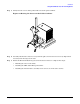
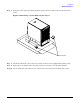
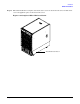
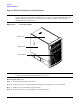
Step 7. Using two of the eight screws from the plastic pouch, attach one wheel caster to the front of the
server.
Figure 2-9Attaching a Caster Wheel to the Server
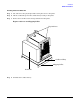
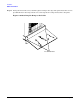
Step 8. Attach the other front caster to the server using two more screws supplied in the plastic pouch.
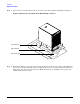
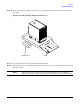
Step 9. Remove the rear cushion at the rear of the server. Do not remove the remaining cushions.
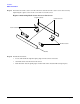
Step 10. Locate and mount each of the two rear casters to the server using the remaining four screws.
Front Caster