
Installation Guide, Fifth Edition - HP 9000 rp8420 Server

Chapter 2
Installation
Wheel Kit Installation
33
Installing the Server Wheel Kit
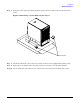
Step 1. Cut and remove the polystrap bands securing the server to the pallet.
Step 2. Lift the cardboard top from the cardboard tray resting on the pallet.
Step 3. Remove the bezel kit carton and top cushions from the pallet.
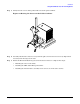
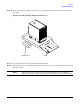
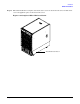
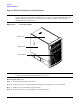
Figure 2-7Server on Shipping Pallet
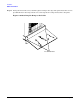
Step 4. Unfold bottom cardboard tray.
Top Cushions
Cardboard Tray
Shipping Pallet
Bezel Kit