
HP 9000 rp8420 Server - User Service Guide, Fifth Edition
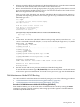
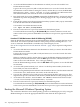
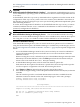
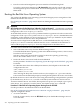



To interact with the ELILO.EFI loader, interrupt the boot process (for example, type a space)
at the ELILO boot prompt. To exit the ELILO.EFI loader use the exit command.
Procedure E-10 SuSE Linux Enterprise Server Operating System Booting from the EFI Shell
Use this procedure to boot SuSE Linux Enterprise Server 9 from the EFI Shell.
See “ACPI Configuration for SuSE Linux Enterprise Server Must Be “default”” (page 205) for
required configuration details.
1. Access the EFI Shell.
From the system console, select the EFI Shell entry from the EFI Boot Manager menu to
access the shell.
2. Access the EFI System Partition for the SuSE Linux Enterprise Server boot device.
Use the map EFI Shell command to list the filesystems (fs0, fs1, and so on) that are known
and have been mapped.
To select a filesystem to use, enter its mapped name followed by a colon (:). For example,
to operate with the boot device that is mapped as fs3, enter fs3: at the EFI Shell prompt.
3. Enter ELILO at the EFI Shell command prompt to launch the ELILO.EFI loader.
If needed, you can specify the loader’s full path by entering \efi\SuSE\elilo at the EFI
Shell command prompt.
4. Allow the ELILO.EFI loader to proceed with booting the Red Hat Linux kernel.
By default, the ELILO.EFI loader boots the kernel image and options specified by the
default item in the elilo.conf file.
To interact with the ELILO.EFI loader, interrupt the boot process (for example, type a
space) at the ELILO boot prompt. To exit the loader use the exit command.
Shutting Down HP-UX
When HP-UX is running on an nPartition, you can shut down HP-UX using the shutdown
command.
On nPartitions you have the following options when shutting down HP-UX:
• To shut down HP-UX and reboot an nPartition: shutdown -r
On nPartition-capable HP Integrity servers, the shutdown -r command is equivalent to
the shutdown -R command.
• To shut down HP-UX and halt an nPartition: shutdown -h
On nPartition-capable HP Integrity servers, the shutdown -h command is equivalent to
the shutdown -R -H command.
• To perform a reboot for reconfig of an nPartition: shutdown -R
• To hold an nPartition at a shutdown for reconfig state: shutdown -R -H
For details refer to the shutdown(1M) manpage.
NOTE: On HP rx7620 servers and rx8620 servers you can configure the nPartition behavior
when an OS is shutdown and halted (shutdown -h or shutdown -R -H). The two options
are to have hardware power off when the OS is halted, or to have the nPartition be made inactive
(all cells are in a boot-is-blocked state).
The normal behavior for HP-UX shutdown and halt is for the nPartition be made inactive.
For details see “ACPI “Softpowerdown” Configuration—rx7620 and rx8620 OS Shutdown
Behavior” (page 194).
Procedure E-11 Shutting Down HP-UX [/sbin/shutdown command]
From the HP-UX command line, issue the shutdown command to shut down the HP-UX operating
system.
206 Operating System Boot and Shutdown