
HP 9000 rp8420 Server - User Service Guide, Fifth Edition
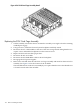

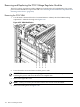
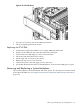
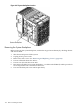
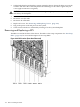

3. Tilt the backplane forward until it is resting against the chassis. Ensure all cables are correctly
routed to the outer side of the backplane to avoid damage to the cables. Tighten the jack
screw (eight to nine turns to tighten).
CAUTION: Watch for system board flex when tightening the jack screw. Over-compression
will destroy the backplane.
4. Reconnect all cables.
5. Reconnect core I/O cards.
6. Reconnect all cell boards.
7. Replace all covers. See “Removing and Replacing Covers” (page 104).
8. Plug in the power cords and power on the system.
9. Check status with the PS command by selecting S for the system backplane.
Removing and Replacing a BPS
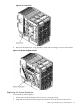
The BPS is located in the front of the chassis. The BPS is a hot-swap component. See “Hot-Swap
FRUs” (page 101) for a list and description of hot-swap FRUs.
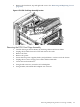
Figure 6-64 BPS Location (Front Bezel Removed)
170 Removal and Replacement