
HP 9000 rp8420 Server - User Service Guide, Fifth Edition
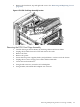
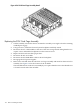

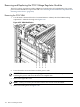
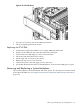
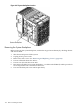
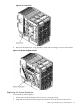
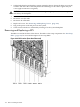

Figure 6-60 PCI Side Panel
5. Unscrew two screws to remove the VRM from bracket.
6. Lift up and gently pull from the socket.
Replacing the PCI-X VRM
1. Verify that the replacement VRM is a low-voltage VRM (P/N 0950-4122).
2. Firmly seat the VRM into the socket. Be careful not to bend pins.
3. Attach bracket to VRM using two screws removed earlier.
4. Put the PCI side panel back on the chassis.
5. Put the right side cover back on the chassis.
6. Replace the top cover if it was removed.
7. Connect the power cords and apply power to the server.
8. Use the PS:Pcommand from the Command Menu to verify that the VRM power is good.
Removing and Replacing a System Backplane
The system backplane is located in the left side of the chassis. The system power must be turned
off to replace this FRU. See “Powering down Hardware Components and Powering on the Server”
(page 103).
Removing and Replacing a System Backplane 167