
HP 9000 rp8420 Server - User Service Guide, Fifth Edition
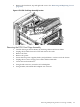
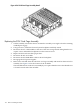
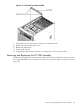

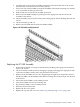
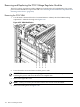
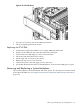
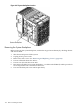
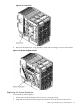
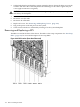

Figure 6-54 PCI-X Card Cage Assembly Detail
Replacing the PCI-X Card Cage Assembly
1. Tilt the assembly toward the chassis. Position the assembly at an angle so that the retaining
standoff pins engage.
2. Using extractors, slide board toward system backplane until fully seated.
3. Reconnect the two cable bundles at the rear of the mass storage board and tighten the two
captive screws onboard the backplane near the extractor levers.
4. Replace all PCI cards into their proper slots.
5. Reconnect all PCI card cables.
6. Reconnect the PCI OLR ribbon cable to the PCI backplane.
7. Re-engage the PCI power supplies.
8. Remove the air baffle from the old PCI-X card cage assembly and install on the new PCI-X
assembly. See Figure 6-55 for the location of the air baffle.
The air baffle attaches to the PCI-X assembly by two captive thumbscrews. One thumbscrew
is located on each end of the air baffle.
162 Removal and Replacement