
HP 9000 rp8420 Server - User Service Guide, Fifth Edition
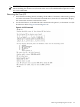
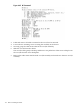
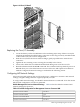
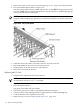
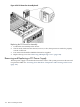
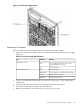


Figure 6-45 DE Command
3. Label and remove all cables connected to the core I/O to be removed.
4. Loosen the two retaining screws securing the assembly to the chassis.
5. Securely grasp the cable strain relief on the core I/O assembly.
6. Slide the core I/O from the chassis.
The core I/O can be gently rocked up and down as it is pulled out of the server to help loosen
the core I/O from the server backplane.
7. Remove the cable strain relief from the core I/O assembly and transfer it to the new core I/O
assembly.
152 Removal and Replacement