
HP 9000 rp8420 Server - User Service Guide, Fifth Edition

1. Remove the right side cover. See “Removing and Replacing Covers” (page 104).
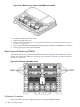
2. Remove the cell board. See “Removing the Cell Board” (page 118).
3. Place the cell board on the ESD safe work surface.
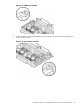
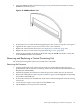
4. Loosen the four captive thumb screws securing the removable DIMM cover. See Figure 6-26.
Figure 6-26 DIMM Cover Assembly
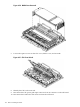
5. Lift the cover to gain access to the DIMMs.
Removing and Replacing DIMMs 137