
HP 9000 rp8420 Server - User Service Guide, Fifth Edition
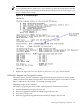
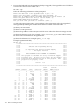
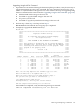
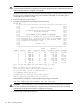

NOTE: The PDHC stateshould read Attention LED is off, and the Power
Statusshould read RDY. If the Power Statusreads rdy, then one or both of the extraction
levers are not properly locked. Ensure both cell board extraction levers are locked. Figure 6-21
shows a sample of the output.
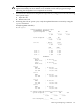
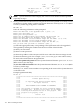
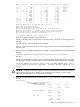
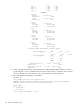
Figure 6-21 de Command Output
7. Replace the right side cover. See “Replacing the Side Cover” (page 107) for details.
Cell Break-Fix Upgrade and Downgrade Procedure
This release notice provides information, upgrade and downgrade instructions for the rp7420,
rp8420, rx7620 and an rx8620 system products. These instructions pertain to a break fix scenario
where a replacement cell is added to a currently operating system.
Upgrading Using the FW Command
The steps for upgrading the newly added cell using the FW command are as follows:
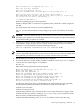
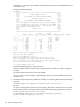
1. OSP the PDHC FPGA image to the new cell.
2. Firmware upgrade/downgrade the PDHC image to the new cell.
3. AC power cycle the Cell
4. Firmware upgrade/downgrade the System Firmware image to the new cell.
Removing and Replacing a Cell Board 121