
HP 9000 rp8420 Server - User Service Guide, Fifth Edition

Removing the Cell Board
NOTE: The cell board weighs 27.8 lb. Support both side edges while removing the cell board
from the chassis.
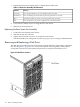
1. Remove the right side cover. See “Removing and Replacing Covers” (page 104).
2. Power off the cell board using the MP command menu PE command.
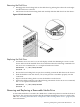
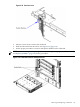
3. Verify that the green power LED located on either the left-hand side or right-hand side of
the cell board is off before removing the cell board. See Figure 6-17 for the power LED
locations.
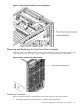
Figure 6-17 Cell Board Power LED
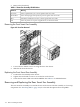
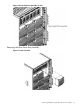
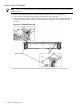
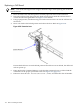
4. Press each extraction lever and move the slide to the unlock position. See Figure 6-18.
118 Removal and Replacement