
HP 9000 rp8420 Server - User Service Guide, Fifth Edition
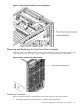
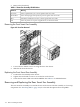
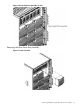
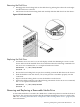
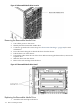
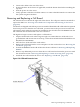
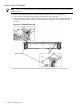
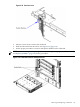
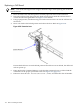

Figure 6-14 Removable Media Drive Location
Removing the Removable Media Drive
1. Turn off the power to the server.
2. Identify the failed removable media drive.
3. Connect to ground with a wrist strap. See “Electrostatic Discharge ” (page 103) for more
information.
4. Press the front locking tab to detach the drive from the chassis.
5. Pull the drive out of the chassis.
6. Unhook the cables from the rear of the drive. When removing the bottom drive, remove the
top drive first.
7. Slide the drive from the chassis.
8. Remove the rails and clips from the drive.
Figure 6-15 Removable Media Drive Detail
Replacing the Removable Media Drive
1. Attach the rails and clips to the drive.
116 Removal and Replacement