
HP 9000 rp8420 Server - User Service Guide, Fifth Edition
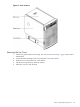
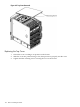
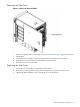
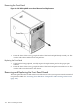
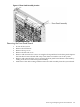


Figure 6-5 Front Panel Assembly Location
Removing the Front Panel Board
1. Power off the system.
2. Remove the front bezel.
3. Remove the top cover.
4. Remove the left side cover.
5. Remove and retain the two screws securing the front panel bezel to the front panel. Depress
the front bezel center tab and slide away from chassis toward the rear of the system.
6. Remove and retain the three screws securing the front panel board. Remove the board by
sliding it out the rear of the front panel assembly.
7. Make note of the cable routing and disconnect the cable assembly from the system board.
Removing and Replacing the Front Panel Board 109