
HP 9000 rp8420 Server - User Service Guide, Fifth Edition


Removing the Side Cover
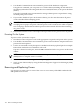
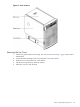
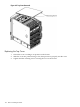
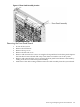
Figure 6-3 Side Cover Removal Detail
1. Connect to ground with a wrist strap. See “Electrostatic Discharge ” (page 103) for more
information.
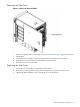
2. Loosen the blue retaining screw securing the cover to the chassis. See Figure 6-3.
3. Slide the cover from the chassis toward the rear of the system.
4. Place the cover in a safe location.
Replacing the Side Cover
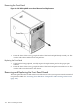
1. Orient the cover according to its position on the chassis.
2. Slide the cover into position using a slow, firm pressure to properly seat the cover.
3. Tighten the blue retaining screw securing the cover to the chassis.
Removing and Replacing Covers 107