
User Service Guide, Fifth Edition - HP 9000 rp4410/4440
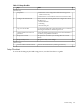
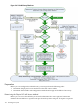

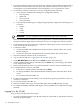

Table 3-13 Setup Checklist
XActionStep
Standard Setup
1. Determine a LAN configuration method and assign an IP
address if necessary.
2. Determine an access method to select and connect the cables.
Preparation1
Choose one of the following methods to configure the LAN for
iLO MP access:
• DHCP with DNS
• ARP Ping
• RS-232 serial port
Configure the iLO MP LAN2
Log in to the iLO MP from a supported web browser or command
line using the default user name and password.
Log on to the iLO MP3
Change the default user name and password on the administrator
account to your predefined selections.
Change default user name and
password
4
Set up the user accounts if you are using the local accounts
feature.
Set up user accounts5
Set up the security access settings.Set up security access6
Advanced Setup
Activate advanced features by entering a license key.Activate Advanced Pack Features1
Setup Flowchart
To assist in the Integrity iLO MP setup process, use this flowchart as a guide.
Console Setup 105