
Installation Guide, Seventh Edition - HP 9000 rp3410 and HP 9000 rp3440





Installing the System
Installing Additional Components
Chapter 1
58
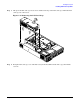
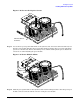
Figure 1-44 Locking the Dual Processor Module in Place
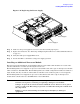
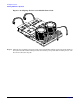
Step 9. Slide the sequencing retainer plate toward the front of the server.
Figure 1-45 Slide the Sequencing Retainer Plate
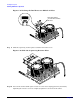
Step 10. Screw in the four heatsink captive screws in a criss-cross torquing pattern by alternately
tightening the screws so as not to completely tighten one screw before the others.
CPU Install Tool
(2.5 mm Driver/Allen
Wrench)