
Installation Guide, Seventh Edition - HP 9000 rp3410 and HP 9000 rp3440


Installing the System
Installing Additional Components
Chapter 1
37
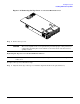
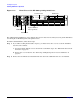
Figure 1-24 Filler Removal from Slot 1
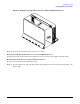
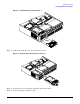
Step 3. Slide the hard disk drive into the slot until it is seated.
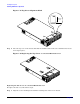
Figure 1-25 Disk Drive Installation in Slot 3
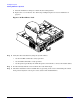
Step 4. Close the drive ejector handle by pushing it down until it clicks.
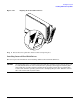
Step 5. If desired, lock the hard drive in place.