
Installation Guide, Seventh Edition - HP 9000 rp3410 and HP 9000 rp3440

Installing the System
Unpacking and Inspecting the Server
Chapter 1
22
Installation Sequence and Checklist
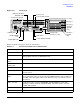
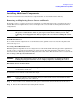
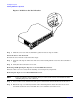
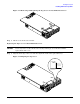
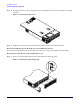
Follow the steps in Table 1-6 sequentially to ensure successful installation of the server.
Unpacking and Inspecting the Server
This section describes procedures you perform before installation. Ensure that you have adequately prepared
your environment for the new server, received the components that you ordered, and verified that the server
and its containers are in good condition after shipment.
Verifying Site Preparation
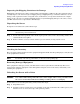
Verifying site preparation is an essential factor of a successful server installation and includes the following
tasks.
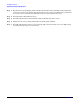
Step 1. Gather LAN information and determine the two separate IP addresses for the iLO MP LAN and
the system LAN.
Step 2. Establish a method to connect to the server console.
Step 3. Verify electrical requirements and ensure that grounding specifications and power requirements
have been met.
Step 4. Validate server physical space requirements.
Step 5. Confirm environmental requirements.
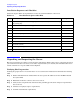
Table 1-6 Installation Sequence Checklist
Step Description Completed
1 Unpack and inspect the server shipping container; inventory the contents using
the packing slip.
2 Install additional components shipped with the server.
3 Install the server into a rack- or pedestal-mount.
4 Connect cables to the server.
4a Connect dc input power cable.
4b Connect LAN core I/O cable.
5 Set up the console.
6 Power on the server.
7 Access the console.
8 Boot the operating system.
9 Verify the server configuration.