
Switch 7700 Configuration Guide, v2

MAC Address Table Management 11
Perform the following configuration in Ethernet port view.
Note: If the count parameter takes 0, the port is no permitted to learn MAC
address. There is no limit to the amount of the MAC addresses that an Ethernet
port can learn by default. However how many MAC addresses a port can learn is
still restricted by MAC address table.
Display and Debug MAC
Address Table
After the above configuration, execute display command in all views to display
the MAC address table configuration, and to verify the effect of the configuration.
Execute debugging command in user view to debug MAC address table
configuration.
Example: Configuring
MAC Address Table
Management
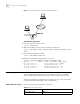
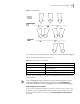
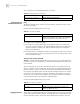
The user logs in the switch through the console port to configure the address table
management. Set the address aging time to 500s and add a static address
00e0-fc35-dc71 to Ethernet 1/0/2 in vlan1.
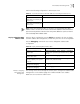
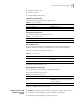
Table 19 Set an Amount Limit to the MAC Addresses Learned by the Ethernet Port
Operation Command
Set an amount limit to the
MAC addresses learned by the
Ethernet port
mac-address max-mac-count count
Restore the default limit to the
MAC addresses learned by the
Ethernet port
undo mac-address max-mac-count
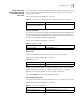
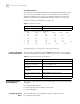
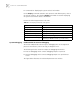
Table 20 Display and Debug MAC Address Table
Operation Command
Display the information in the
address table
display mac-address [ static | dynamic ] [[ interface {
interface-name | interface-type interface-num } ] [ vlan
vlan-id ] ]
Display the aging time of dynamic
address table entries
display mac-address aging-time
Display the dynamic MAC address
learning capability of the system
and ports
display mac-address learning [ interface-type
interface-num | interface-name ]
Enable the address table
management debugging
debugging mac-address
Disable the address table
management debugging
undo debugging mac-address