
Switch 7700 Configuration Guide, v2



266 CHAPTER 10: RELIABILITY
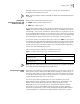
Perform the following configuration in VLAN interface view.
Configuring the Priority
of Switches
The status of each switch in the virtual router is determined by its priority in VRRP.
The switch with the highest priority becomes the master.
The priority ranges from 0 to 255 (the greater the number, the higher the priority).
However only values from 1 to 254 can be used. Priority 0 is reserved for special
use and 255 is reserved for the IP address owner by the system.
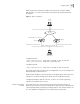
Perform the following configuration in VLAN interface view.
By default, the priority is 100.
Note: The priority for an IP address owner is always 255, which cannot be
changed.
Configuring Preemption
and Delay for a Switch
As long as a switch in the virtual router functions as master switch, other switches,
even if they are configured with a higher priority later, cannot become the master
switch unless they are configured to work in preemption mode. The switch in
preemption mode canl become the master switch when it finds that its own
priority is higher than the priority of the current master switch. If this happens, the
former master switch becomes the backup switch.
In addition to preemption settings, a delay can also be set. In this way, a backup
switch waits for a period of time before becoming a master. In an unstable
network, if the backup switch has not received the packets from the master switch
punctually, it becomes the master switch. However, the failure of the backup
switch to receive packets may be due to network congestion instead of the
malfunction of the master switch. In this case, the backup switch receives the
packet after a while. The delay settings can thereby avoid a frequent change of
status.
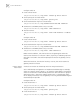
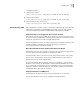
Perform the following configuration in VLAN interface view.
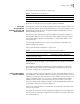
Tab le 3 Add/Delete a Virtual IP Address
Operation Command
Add a virtual IP address. vrrp vrid virtual-router-ID virtual-ip virtual-address
Delete a virtual IP address. undo vrrp vrid virtual-router-ID [ virtual-ip virtual-address ]
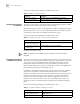
Tab le 4 Configure the Priority of Switches in the Virtual Router
Operation Command
Configure the priority of
switches in the virtual router.
vrrp vrid virtual-router-ID priority priority
Clear the priority of switches in
the virtual router.
undo vrrp vrid virtual-router-ID priority
Tab le 5 Configure Preemption and Delay for a Switch
Operation Command
Enable the preemption mode and
configure a period of delay.
vrrp vrid virtual-router-ID preempt-mode [ timer
delay delay-value ]
Disable the preemption mode. undo vrrp vrid virtual-router-ID preempt-mode