
Switch 7700 Configuration Guide, v2


236 CHAPTER 8: STP OPERATION
transition. When such port receives BPDU packet, the system will automatically set
it as a non-edge port and recalculate the spanning tree, which causes the network
topology flapping. In normal case, these ports will not receive STP BPDU. If
someone forges BPDU to attack the switch, the network will flap. BPDU protection
function is used against such network attack.
The primary and secondary root switches of the spanning tree, especially those of
ICST, must be located in the same region because the primary and secondary roots
of CIST are generally placed in the core region with a high bandwidth in network
design. In case of configuration error or malicious attack, the legal primary root
may receive the BPDU with a higher priority and then lose its place, which causes
network topology change errors. Due to the illegal change, the traffic that is
supposed to travel over the high-speed link may be pulled to the low-speed link
and congestion will occur on the network. The root protection function is used
against such problem.
The root port and other blocked ports maintain their state according to the BPDUs
sent by an uplink switch. Once the link is blocked or has trouble, the ports cannot
receive BPDUs and the switch will select a root port again. In this case, the former
root port will turn into a specified port and the former blocked ports will enter the
forwarding state and a link loop will be created.
The security functions can control the generation of loop. After it is enabled, the
root port cannot be changed, the blocked port will remain in the discarding state
and will not forward packets, to avoid link loop.
You can use the following command to configure the security functions of the
switch.
Perform the following configuration in corresponding configuration modes.
After configured with BPDU protection, the switch will disable the edge port
through MSTP, which receives a BPDU, and notify the network manager at same
time. These ports can be resumed by the network manager only.
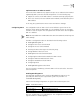
Tab le 39 Configure the Switch Security Function
Operation Command
Configure switch BPDU protection (from
system view)
stp bpdu-protection
Restore the disabled BPDU protection state as
defaulted (from system view)
undo stp bpdu-protection
Configure switch Root protection (from
system view)
stp interface interface-list root-protection
Restore the disabled Root protection state as
defaulted (from system view)
undo stp interface interface-list
root-protection
Configure switch Root protection (from
Ethernet port view)
stp root-protection
Restore the disabled Root protection state as
defaulted (from Ethernet port view)
undo stp root-protection
Configure switch loop protection function
(from Ethernet port view)
stp loop-protection
Restore the disabled loop protection state, as
defaulted (from Ethernet port view)
stp loop-protection