
Switch 7700 Configuration Guide, v2

14 CHAPTER 1: SYSTEM ACCESS
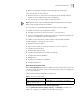
Perform the following configurations in user interface (AUX user interface only)
view.
Configure the Terminal Attributes
The following commands can be used for configuring the terminal attributes,
including enabling/disabling terminal service, disconnection upon timeout,
lockable user interface, configuring terminal screen length and history command
buffer size.
Perform the following configuration in user interface view. Perform the lock
command in user view.
Enabling and Disabling Terminal Service After the terminal service is
disabled on a user interface, you cannot log in to the Switch 7700 through the
user interface. However, if a user logged in through the user interface before
disabling the terminal service, the user can continue operation. After the user logs
out, the user cannot log in again. In this case, the user can log in to the switch
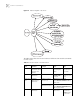
Tab le 3 Configure the Attributes of the AUX (Console) Port
Operation Command
Configure the transmission
speed on AUX (Console) port.
By default, the transmission
speed is 9600bps
speed speed-value
Restore the default
transmission speed on AUX
(Console) port
undo speed
Configure the flow control on
AUX (Console) port. By
default, no flow control is
performed on the AUX
(Console) port
flow-control { hardware | none | software }
Restore the default flow
control mode on AUX
(Console) port
undo flow-control
Configure parity mode on the
AUX (Console) port. By
default, there is no parity bit
on the AUX (Console) port
parity { even | mark | none | odd | space }
Restore the default parity
mode
undo parity
Configure the stop bit of AUX
(Console) port. By default,
AUX (Console) port supports 1
stop bit
stopbits { 1 | 1.5 | 2 }
Restore the default stop bit of
AUX (Console) port
undo stopbits
Configure the data bit of AUX
(Console) port. By default,
AUX (Console) port supports 8
data bits.
databits { 7 | 8 }
Restore the default data bit of
AUX (Console) port
undo databits