
H3C LSW1FC4P0 Interface Card for S5820X-28C Ethernet Switches QuickTools User Guide Firmware Version 9.0.7




Managing Ports
Resetting a Port
59273-00 C 81
.
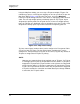
Device Scan
The Device Scan feature queries the connected device during login for FC-4
descriptor information. Disable this parameter only if the scan creates a conflict
with the connected device.
DCBX
The DCBX (data center bridging capability exchange) parameter on the Port
Properties dialog enables the peer-to-peer DCBX protocol capability on the
internal (only) ports. This parameter is not allowed on PT ports.
PFC Priority
The PFC Priority parameter on the Port Properties dialog enables you to set the
priority-based flow control parameter for internal (only) ports. This parameter is
not allowed on PT ports.
Resetting a Port
The Reset Port option reinitializes the port using the saved configuration. To reset
a port, do the following:
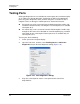
1. In the faceplate display, select the port(s) to be reset.
2. Open the Port menu and select Reset Port.
3. Click the OK button to reset the selected port(s).
Table 3-23. Port Transceiver Media View
Media Icon Description
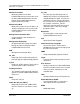
Optical SFP, online (green/black), logged-in, active, and ready to send
data.
Optical SFP, offline (gray/black), not logged-in, active, can receive sig-
nal, but cannot accept a device login
Optical SFP, unlicensed (dark gray/black)
Optical SFP, unknown, unlicensed (dark gray/blue)
None Empty port; no transceiver installed (gray) or unlicensed (dark gray)