
H3C LSW1FC4P0 Interface Card for S5820X-28C Ethernet Switches Command Line Interface Guide Firmware Version 9.0.7

Switch Module Configuration
Resetting a Switch Module
59272-00 C 71
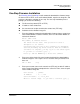
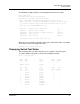
To configure the Switch Module to use an NTP server, enter the Set Setup System
Ntp command in an Admin session to enable the NTP client on the Switch Module
and to specify the NTP server IP address, as shown in the following example:
H3C (admin) #> set setup system ntp
A list of attributes with formatting and current values will follow.
Enter a new value or simply press the ENTER key to accept the current value.
If you wish to terminate this process before reaching the end of the list
press 'q' or 'Q' and the ENTER key to do so.
Current Values:
NTPClientEnabled False
NTPServerDiscovery Static
NTPServerAddress 10.20.10.10
New Value (press ENTER to accept current value, 'q' to quit, 'n' for none):
NTPClientEnabled (True / False) : True
NTPServerDiscovery (1=Static, 2=Dhcp, 3=Dhcpv6) :
NTPServerAddress (hostname, IPv4, or IPv6 Address) : 10.20.3.4
Do you want to save and activate this system setup? (y/n): [n] y
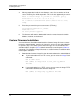
Resetting a Switch Module
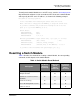
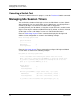
Table 4 describes the methods for resetting a Switch Module, the corresponding
command, and the impact on the Switch Module.
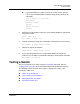
Table 4. Switch Module Reset Methods
Description
Hot Reset
(Hotreset
command)
Soft Reset
(Reset
Switch
command)
Hard Reset
(Hardreset
Switch
command)
Activates pending firmware ✔ ✔ ✔
Disrupts I/O traffic ✔✔
QuickTools sessions reconnect
afterwards
✔ ✔ ✔
Clears the event log ✔✔✔
Closes all management sessions ✔ ✔ ✔
Power-on self test ✔