
H3C LSW1FC4P0 Interface Card for S5820X-28C Ethernet Switches Command Line Interface Guide Firmware Version 9.0.7

vi 59272-00 C
H3C LSW1FC4P0 Interface Card for S5820X-28C Ethernet Switches
Command Line Interface Guide
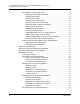
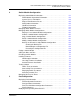
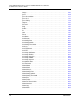
Changing the Port Administrative State. . . . . . . . . . . . . . . . . . . . . . . . 85
Changing the Port Type. . . . . . . . . . . . . . . . . . . . . . . . . . . . . . . . . . . . 87
Mapping Transparent Fabric Ports. . . . . . . . . . . . . . . . . . . . . . . . . . . . . . . . 89
Resetting a Port . . . . . . . . . . . . . . . . . . . . . . . . . . . . . . . . . . . . . . . . . . . . . . 90
Configuring Port Threshold Alarms . . . . . . . . . . . . . . . . . . . . . . . . . . . . . . . 90
Testing a Port . . . . . . . . . . . . . . . . . . . . . . . . . . . . . . . . . . . . . . . . . . . . . . . . 92
Offline Tests for Ports . . . . . . . . . . . . . . . . . . . . . . . . . . . . . . . . . . . . . 92
Display Port Test Results. . . . . . . . . . . . . . . . . . . . . . . . . . . . . . . . . . . 93
Cancel a Port Test . . . . . . . . . . . . . . . . . . . . . . . . . . . . . . . . . . . . . . . . 93
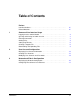
6 Connection Security Configuration
Managing SSL and SSH Services . . . . . . . . . . . . . . . . . . . . . . . . . . . . . . . . 95
Displaying SSL and SSH Services. . . . . . . . . . . . . . . . . . . . . . . . . . . . . . . . 97
Creating an SSL Security Certificate . . . . . . . . . . . . . . . . . . . . . . . . . . . . . . 97
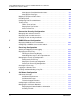
7 RADIUS Server Configuration
Displaying RADIUS Server Information . . . . . . . . . . . . . . . . . . . . . . . . . . . . 100
Configuring a RADIUS Server on the Switch . . . . . . . . . . . . . . . . . . . . . . . . 101
8 Event Log Configuration
Starting and Stopping Event Logging . . . . . . . . . . . . . . . . . . . . . . . . . . . . . . 104
Displaying the Event Log . . . . . . . . . . . . . . . . . . . . . . . . . . . . . . . . . . . . . . . 104
Filtering the Event Log Display . . . . . . . . . . . . . . . . . . . . . . . . . . . . . . 105
Controlling Messages in the Output Stream . . . . . . . . . . . . . . . . . . . . 105
Managing the Event Log Configuration . . . . . . . . . . . . . . . . . . . . . . . . . . . . 106
Configure the Event Log . . . . . . . . . . . . . . . . . . . . . . . . . . . . . . . . . . . 106
Display the Event Log Configuration . . . . . . . . . . . . . . . . . . . . . . . . . . 106
Restore the Event Log Configuration . . . . . . . . . . . . . . . . . . . . . . . . . 107
Clearing the Event Log. . . . . . . . . . . . . . . . . . . . . . . . . . . . . . . . . . . . . . . . . 107
Logging to a Remote Host . . . . . . . . . . . . . . . . . . . . . . . . . . . . . . . . . . . . . . 107
Creating and Downloading a Log File . . . . . . . . . . . . . . . . . . . . . . . . . . . . . 110
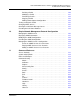
9 Call Home Configuration
Call Home Concepts . . . . . . . . . . . . . . . . . . . . . . . . . . . . . . . . . . . . . . . . . . 111
Call Home Requirements . . . . . . . . . . . . . . . . . . . . . . . . . . . . . . . . . . 112
Call Home Messages . . . . . . . . . . . . . . . . . . . . . . . . . . . . . . . . . . . . . 113
Technical Support Interface. . . . . . . . . . . . . . . . . . . . . . . . . . . . . . . . . 114
Configuring the Call Home Service . . . . . . . . . . . . . . . . . . . . . . . . . . . . . . . 115
Managing the Call Home Database . . . . . . . . . . . . . . . . . . . . . . . . . . . . . . . 116
Displaying Call Home Database Information. . . . . . . . . . . . . . . . . . . . 117
Creating a Profile. . . . . . . . . . . . . . . . . . . . . . . . . . . . . . . . . . . . . . . . . 119