
H3C LSW1FC4P0 Interface Card for S5820X-28C Ethernet Switches Command Line Interface Guide Firmware Version 9.0.7

Network and Fabric Configuration
Verifying a Switch Module in the Network
59272-00 C 43
Verifying a Switch Module in the Network
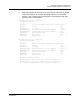
You can verify that a Switch Module is communicating in the network using the
Ping command. The following example successfully tests the network for a Switch
Module with IP address 10.20.11.57.
H3C #> ping 10.20.11.57
Ping command issued. Waiting for response...
H3C #>
Response successfully received from 10.20.11.57.
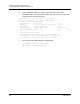
If the Switch Module was unreachable, you would see the following display.
H3C #> ping 10.20.11.57
Ping command issued. Waiting for response...
No response from 10.20.11.57. Unreachable.
Managing IP Security
To modify IP Security, you must open an Admin session with the Admin Start
command. An Admin session prevents other accounts from making changes at
the same time through Telnet, QuickTools
®
or another management application.
You must also open an Ipsec Edit session with the Ipsec Edit command. The
Ipsec Edit session provides access to the Ipsec, Ipsec Association and
Ipsec Policy commands with which you make modifications to the IP Security
configuration.
H3C #> admin start
H3C (admin) #> ipsec edit
H3C (admin-ipsec) #> ipsec . . .
H3C (admin-ipsec) #> ipsec policy . . .
H3C (admin-ipsec) #> ipsec association. . .
When you are finished making changes, enter the Ipsec Save command to save
and activate the changes and close the Ipsec Edit session. Changes take effect
immediately.
H3C (admin-ipsec) #> ipsec save
To close the Ipsec Edit session without saving changes, enter the Ipsec Cancel
command.
H3C (admin-ipsec) #> ipsec cancel
The Admin End command releases the Admin session for other administrators
when you are done making changes to the Switch Module.