
H3C LSW1FC4P0 Interface Card for S5820X-28C Ethernet Switches Command Line Interface Guide Firmware Version 9.0.7

Command Reference
Show Perf
264 59272-00 C
Show Perf
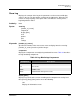
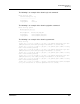
Displays port performance in frames/second and bytes/second. If you omit the
keyword, the command displays data transmitted (out), data received (in), and
total data transmitted and received in frames/second and bytes per second.
Transmission rates are expressed in thousands (K) and millions (M).
Authority None
Syntax show perf [port_list]
or
show perf
byte [port_list]
inbyte [port_list]
outbyte [port_list]
frame [port_list]
inframe [port_list]
outframe [port_list]
errors [port_list]
Keywords [port_list]
Displays the instantaneous performance data for the ports given by [port_list].
[port_list] can be a set of port numbers and ranges delimited by spaces. If you
omit [port_list], the command displays performance data for all ports.
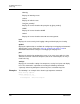
byte [port_list]
Displays continuous performance data in total bytes/second transmitted and
received for the ports given by [port_list]. [port_list] can be a set of port numbers
and ranges delimited by spaces. If you omit [port_list], the command displays
performance data for all ports. Press any key to stop the display.
inbyte [port_list]
Displays continuous performance data in bytes/second received for the ports
given by [port_list]. [port_list] can be a set of port numbers and ranges delimited
by spaces. If you omit [port_list], the command displays performance data for all
ports. Press any key to stop the display.
outbyte [port_list]
Displays continuous performance data in bytes/second transmitted for the ports
given by [port_list]. [port_list] can be a set of port numbers and ranges delimited
by spaces. If you omit [port_list], the command displays performance data for all
ports. Press any key to stop the display.